

Terms of service
In this article, we explain where you can view and download the general terms of service from your seller account.
Important: the general terms of service set out the framework applicable to the use of the platform. You can consult them whenever you need to from your account.
Contents
- Where to find the general terms
- How to download them
- Direct access
1️⃣ Where to find the general terms
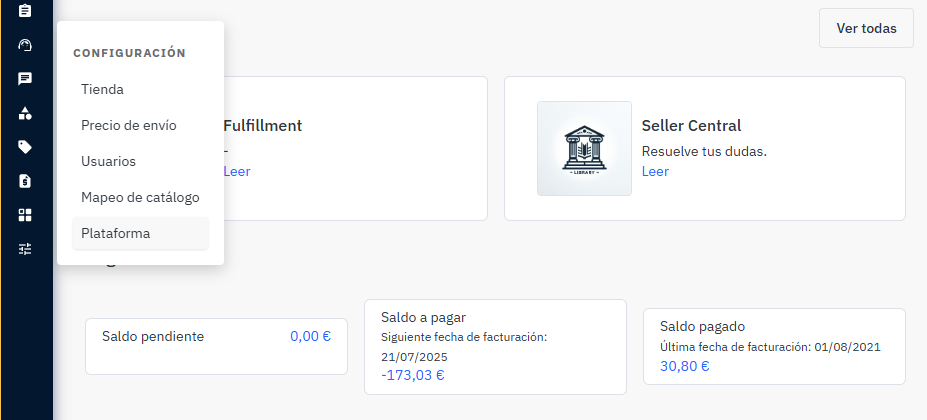
To view the general terms of service, access your seller account and go to:
Settings > Platform
2️⃣ How to download them
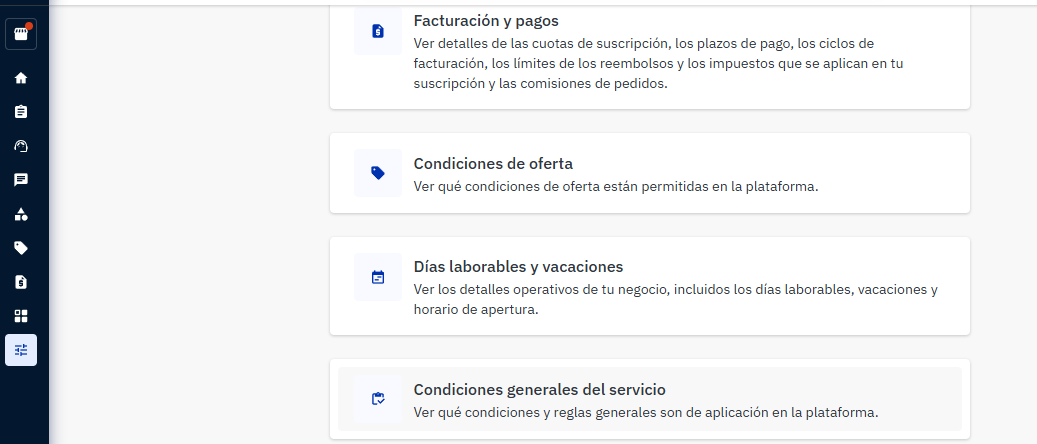
- Select General terms of service.
- Access the corresponding section.
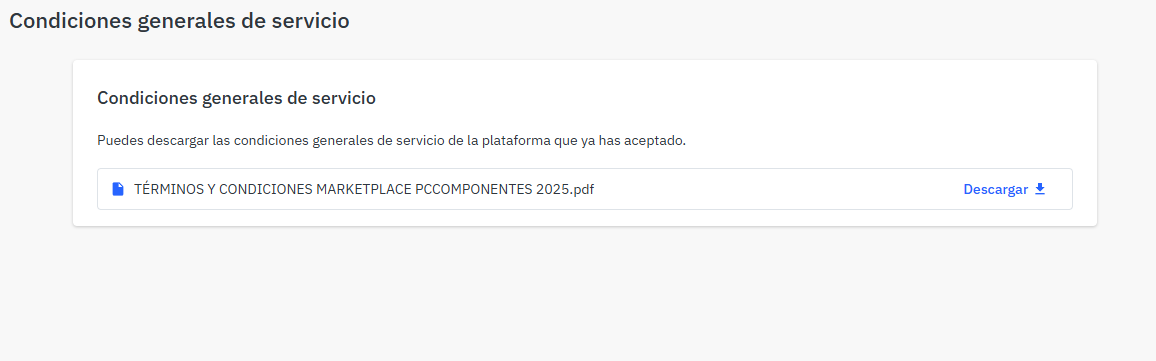
- Download the document available from the platform.
3️⃣ Direct access
You can also access them directly from this link:
Please note: to access the document from the direct link, you must be logged in to the platform.