
This article explains how to access your billing statements, review the details of your orders, and download the accounting documents corresponding to each cycle.
How to access?
Location: "Accounting" → "Billing and documents"
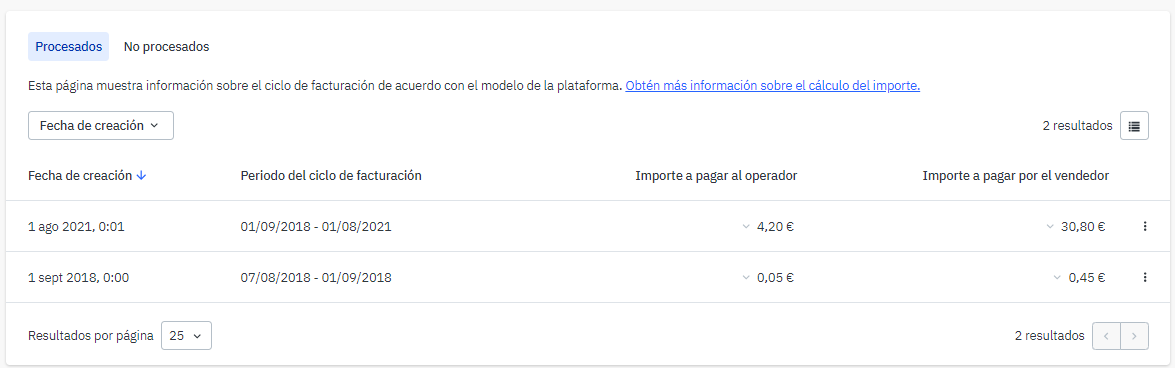
At the top of the page, you’ll see two tabs:
Billing cycles
Each cycle is displayed with its total billed amount and payable amount. You can view more details by clicking the three vertical dots on the right-hand side. The following options will be available:
- Download order file.
- View associated documents.
- View transaction history.
Accounting documents
Access all the generated invoices directly from the platform. This information is also available from each cycle under the option "Associated documents".
 |