

In this article, we explain how to access the informational invoices automatically generated by the platform in each billing cycle.
Location: "Accounting" - "Billing and documents" - "Accounting documents".
URL: Accounting documents
| Important: These invoices are not official. Their purpose is purely informative and they show the breakdown of amounts generated in each cycle. |
View and Download
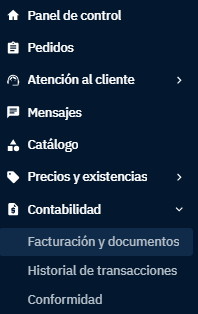
In the left sidebar menu, under the "Accounting" module, click on "Billing and documents".
 |
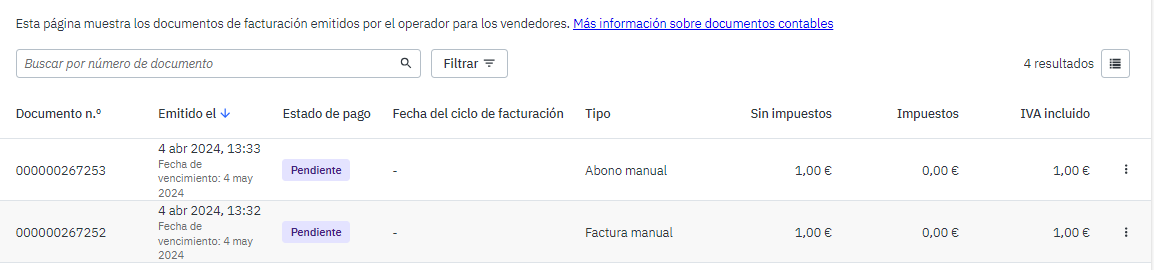
- Go to the "Accounting documents" tab. There you will see the list of invoices generated by the platform, along with their date and document number.
 |
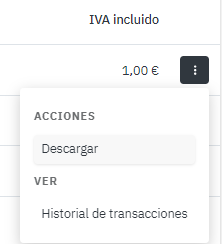
To download an invoice, click on the three vertical dots to the right of each row and select "Download".
 |
Not receiving the invoices?
If you’re not receiving them regularly, please contact your administration team so they can check the delivery and correctly register your email address.
Contact email: conciliaciones@pccomponentes.com