

In this article, we explain what KYC is, how to access the Adyen verification portal and what you should review if the process is pending, rejected or missing documentation.
- What KYC is
- Why it is mandatory
- Bank information and later changes
- How to access the verification portal
- How to complete verification in Adyen
- KYC statuses
- What to do if KYC fails
- Summary
KYC stands for Know Your Customer.
It is a mandatory protocol through which the financial institution reviews and validates the documentation provided by the seller before allowing them to operate normally.
At PcComponentes Marketplace, we work with Adyen, the payment platform that manages this verification process.
KYC is mandatory for legal, operational and security reasons.
- It is required by European anti-money laundering legislation.
- It verifies that the seller's business or activity is correctly registered.
- It protects buyers, sellers, PcComponentes and the financial institution.
- It allows payment operations to be unlocked once the documentation has been validated.
The first time you set up your bank information, you can enter the corresponding bank details from the platform.
For security reasons, once the bank information has been configured, you cannot modify it directly from your account.
If you need to change the bank account, contact your account manager. The change must be made manually.
Once the change has been made by the account manager, you must access the Adyen portal and provide the corresponding documentation so the new bank information can be validated.
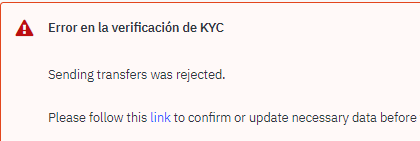
You can access the Adyen verification portal in two ways:
- From the link shown in the error notice at the top of the screen, highlighted in red.
- From your shop settings, through the HOP Url link.
|
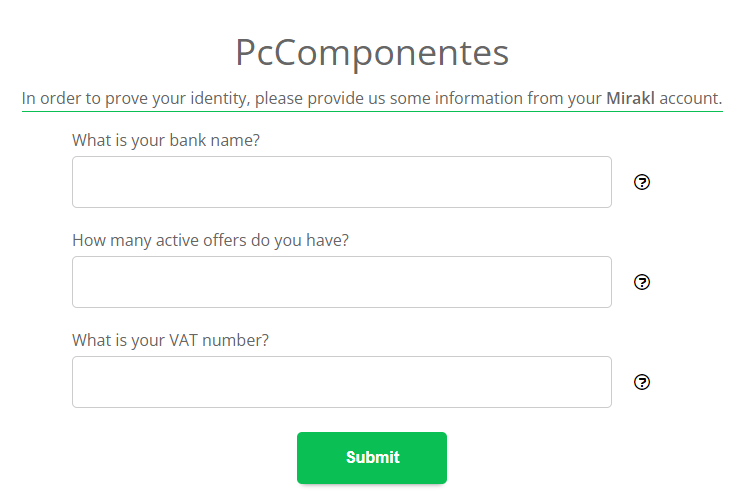
Before accessing the panel, Adyen may show you random control questions to reinforce the security of the process.
|
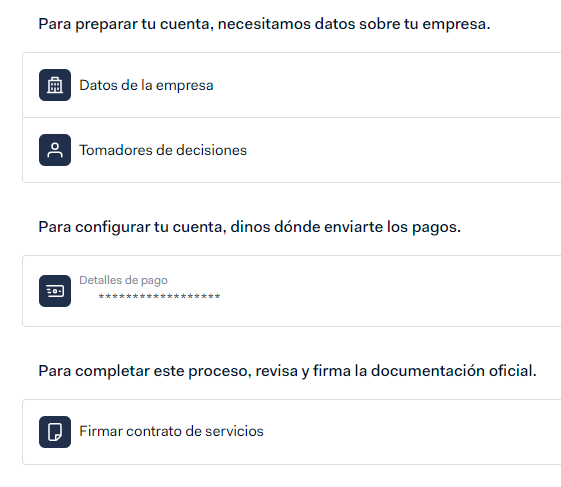
Once inside, you will access your personal verification portal. The portal itself will tell you what information or documentation you need to provide to complete KYC.
|
You can check your KYC status at the top of the main account settings page.
The statuses may vary depending on the stage of the validation process:
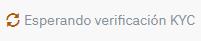
- Documentation under review: this appears when you have uploaded new documentation and the financial institution must process it before accepting or rejecting it.
|
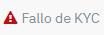
- KYC failed or not approved: this appears when the documentation has not been approved or information is missing.
|
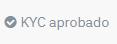
- KYC approved: this appears when the documentation has been approved, payments are unlocked and you do not need to take any further action.
|
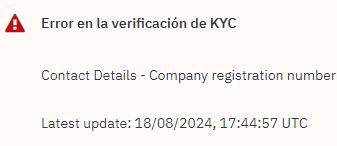
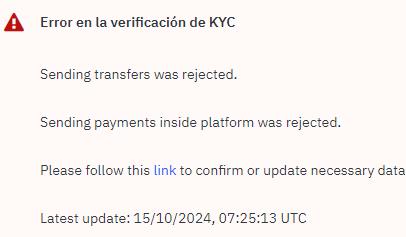
If KYC fails, you will see an error message. The message may vary depending on the documentation or information that is missing.
In general, there are two types of error:
- Error caused by incomplete or incorrect information in Mirakl: you must correct the data directly in the platform. In this case, you do not need to access Adyen.
|
- Error caused by incomplete or incorrect information in Adyen: you must access the Adyen portal to complete or correct the requested documentation. This type of error always includes the link to Adyen.
|
- KYC is mandatory: it allows your documentation to be validated before operating normally.
- Adyen manages verification: you can access it from the error notice or from the HOP Url link.
- You can set up the first bank account yourself: after that, for security reasons, you cannot modify it directly.
- If you need to change the bank account: contact your account manager so the change can be managed manually.
- After the bank change: access Adyen and provide the corresponding documentation to validate the new details.
- If the error is in Mirakl: correct the information directly in the platform.
- If the error includes an Adyen link: access the Adyen portal to complete verification.