

In this article, you will find the basic steps to correctly set up your seller account after joining the platform. Review each section to complete your store information, configure your public details and make sure your legal and operational information is up to date.
- Accessing your account settings
- General store information
- Public store profile
- Shipping and returns
- Legal and bank information
Once you have completed your registration in Mirakl, you must review your account settings and make sure all required fields are filled in correctly.
- Location: Settings → Shop → My account tab.
- URL: https://pccomponentes-prod.mirakl.net/mmp/shop/account/shop
- Name: this will be the visible name of your store on the Marketplace. Extensions such as “.com” are not allowed.
- Closed: you can indicate a period during which your store will remain inactive, for example due to holidays, tests or other operational reasons.
In this section, you can review the information customers will see about your store.
- Description: it must be clear, brief and professional. URLs and product listings are not allowed.
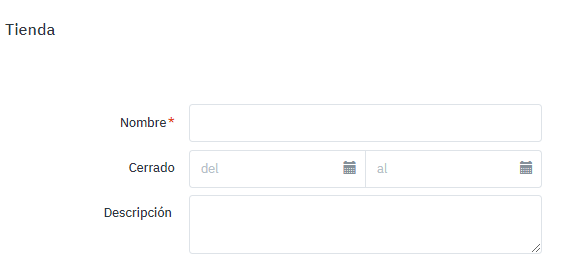
|
In this section, you must indicate the information related to shipping your products and your store’s returns policy.
- Shipping country: indicate the country from which you will ship your products.
- Returns policy: it must at least match PcComponentes’ policy. You can check and copy our returns policy template for sellers.
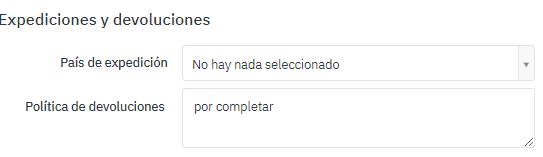
|
Check that your account’s legal and bank information is complete and up to date.
- Registration details: include the Commercial Registry registration details, such as book, volume, page, sheet or other equivalent information.
For more information, you can check the related articles about bank details and billing information.