

It is possible that, at some point, an offer you have configured is not being displayed on the website. Below we detail the most common reasons why this problem may occur and how to solve it.
If when uploading an offer the system indicates that the item is disabled, it means it has been automatically deactivated due to lack of customer interest. This happens when a product has had no visits or purchases for more than three months.
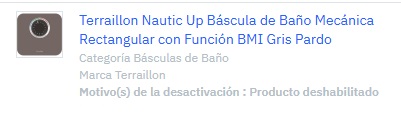 |
If you wish to reactivate it, you must request it and accompany your request with a plan of action that ensures the item will become competitive again. We recommend improving the price, the quality of the offer, and especially making use of advertising campaigns with PcAds.
More information:
As detailed in our Buybox article, only the top five offers (Buybox winners) are visible on the product's main page. If your offer is not among them, it will not appear in the main view, even if it is still active.
More information:
If you apply a discount less than 5%, the system will not display the original price crossed out. Only the final price will be shown, as it is not considered a sufficiently attractive promotion to highlight visually.
To protect the shopping experience and avoid speculation, we apply a Recommended Retail Price (MSRP) blocker. If the price you configure exceeds the MSRP, the offer will not be displayed on the website.
| Important: This block does not generate a visible error, so it is essential to check the price carefully before contacting us. |
Manufacturers or own brands: you can send us a file with the official MSRPs of your products (item name, EAN or internal code + MSRP) to help preserve your brand image.
There is an automatic safety system that blocks prices considered abnormal. If a difference greater than 70% is detected compared to the previous offer for that product, the new offer will not be visible.
How to fix it?
- Delete the offer and upload it again with a new offer SKU. If you use the same one, the system will maintain the block.
- Change the price gradually, without exceeding differences of 70%. For example: if a previous offer was €100 and you now want to offer it at €20, make intermediate reductions (€100-€80-€60...) until you reach the desired price.
Another common reason is having the item configured for delivery to a specific area (for example, mainland Spain), but with its corresponding sales channel deactivated.
If the channel is not active, the offer will not be shown to customers, even if the shipping configuration is correct.
More information:
In this case, if the sales channel is active but you have not configured shipping for the item, the offer will be visible, but the product cannot be purchased. The customer will encounter an error when trying to complete the order.
This causes a poor shopping experience that should be avoided.
More information: